
Have an event to promote in the Fresno area? Add it to The Fresno Bee’s Events Calendar

You’ve told us how you want to know what’s happening in our region and how you can get involved with events in our neighborhoods. The Fresno Bee’s digital events calendar is a great way to share announcements with your neighbors. Here’s how:
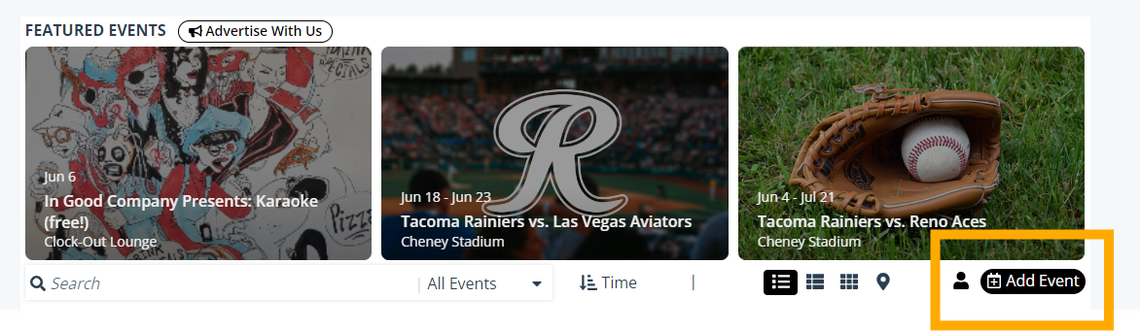
1) Open the event submission page: From our Events section page, click the “Add Event” button in the calendar menu.
2) On the “Edit Event” page, provide information about your event. “Event title,” “Venue or Location Name,” “Street Address,” “City,” “State,” “Date,” “Start Time,” “Primary Category,” Primary Image” and ticketing and pricing information are required fields.
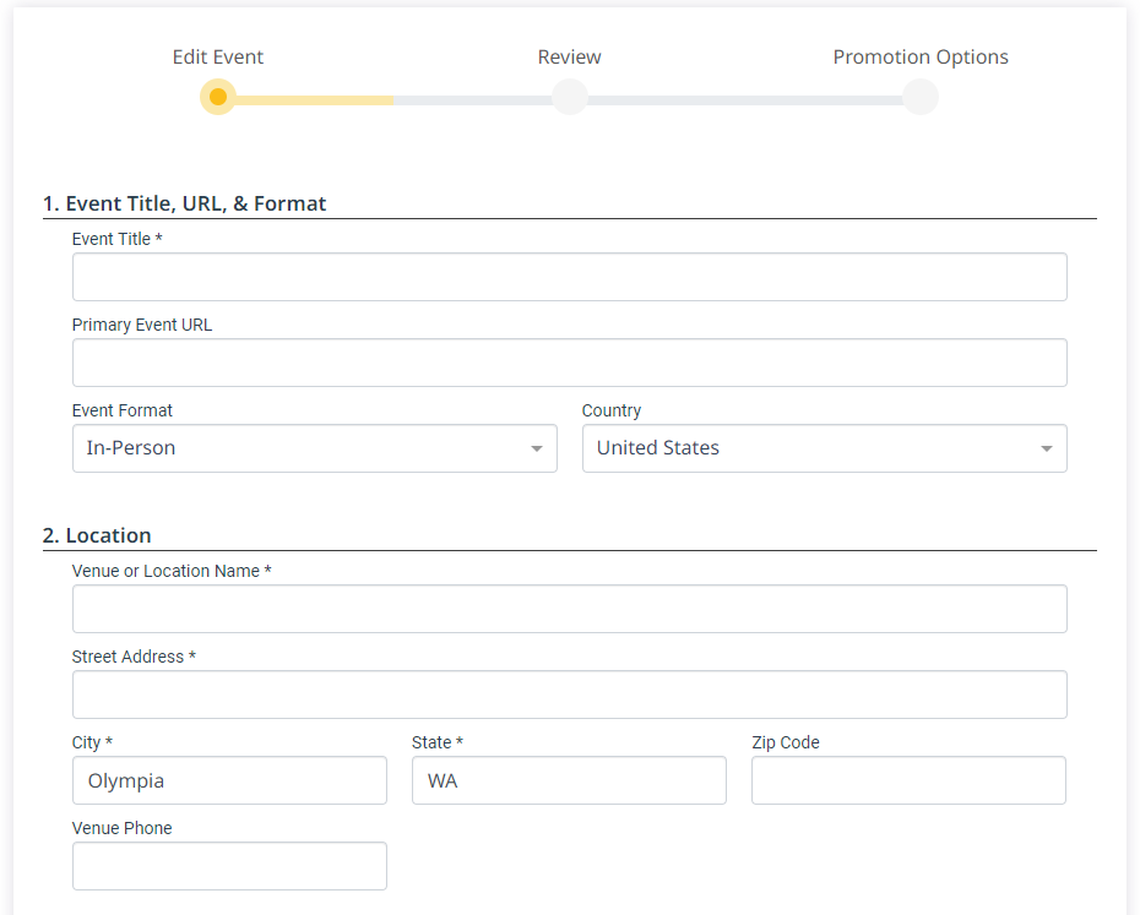
3) Click “Review” at the bottom of the “Edit Event” page once you’ve provided all the information you can about the event.

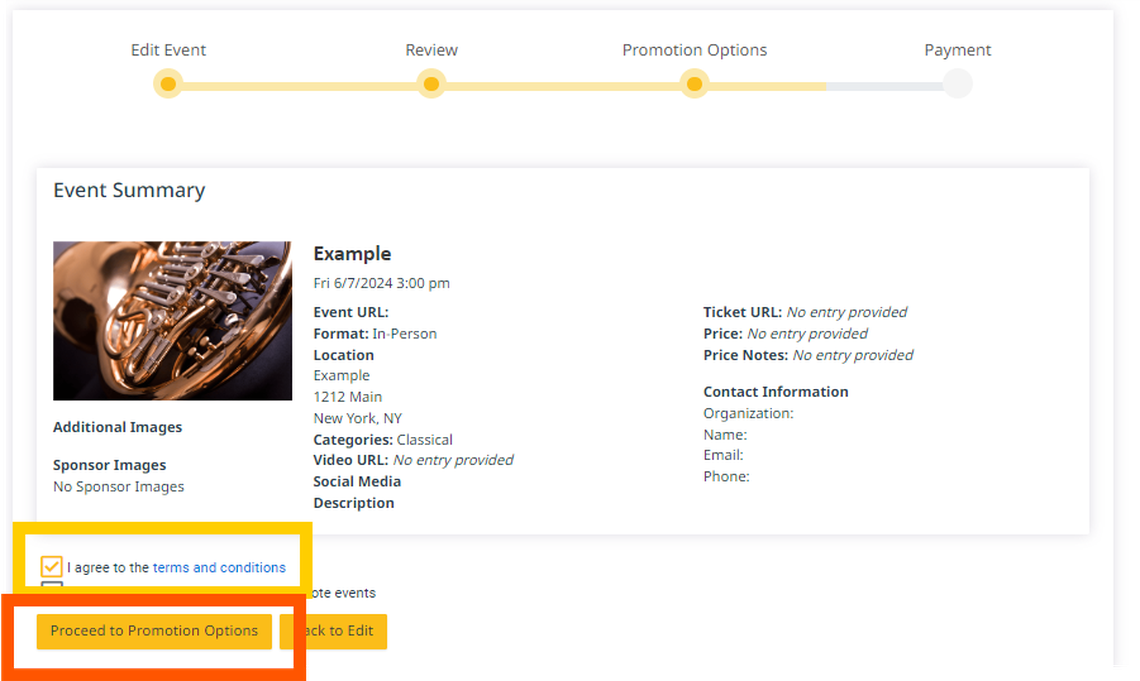
4) On the “Review” page, click the checkbox on “I agree to the terms and conditions.” (Use the link to read the terms and conditions.) Then click on “Proceed to Promotion Options.”
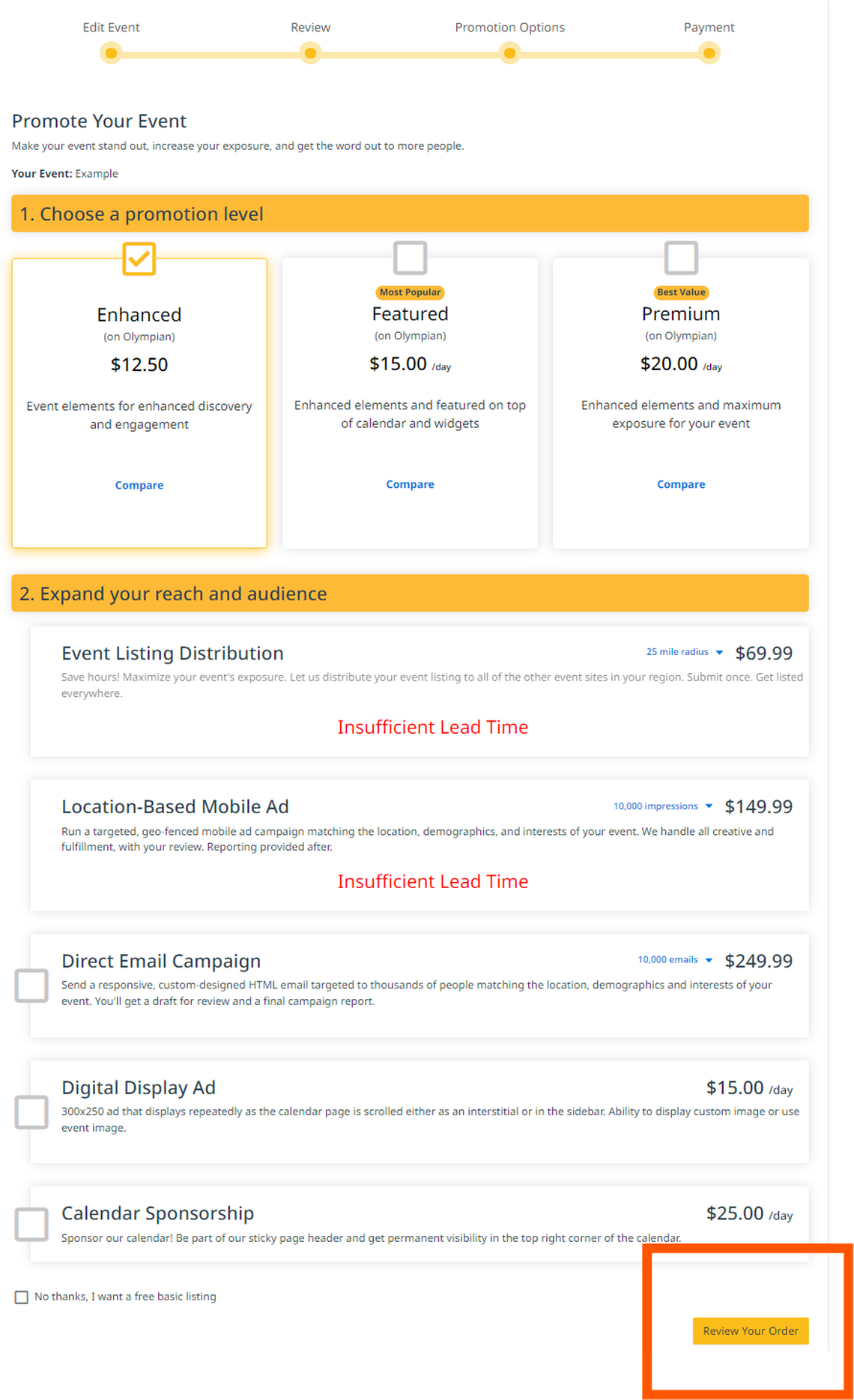
5) If you do want to purchase a package to increase discovery and engagement, select the package you want. If you want a free listing, check the “No thanks, I want a free basic listing” box at the bottom of the page:
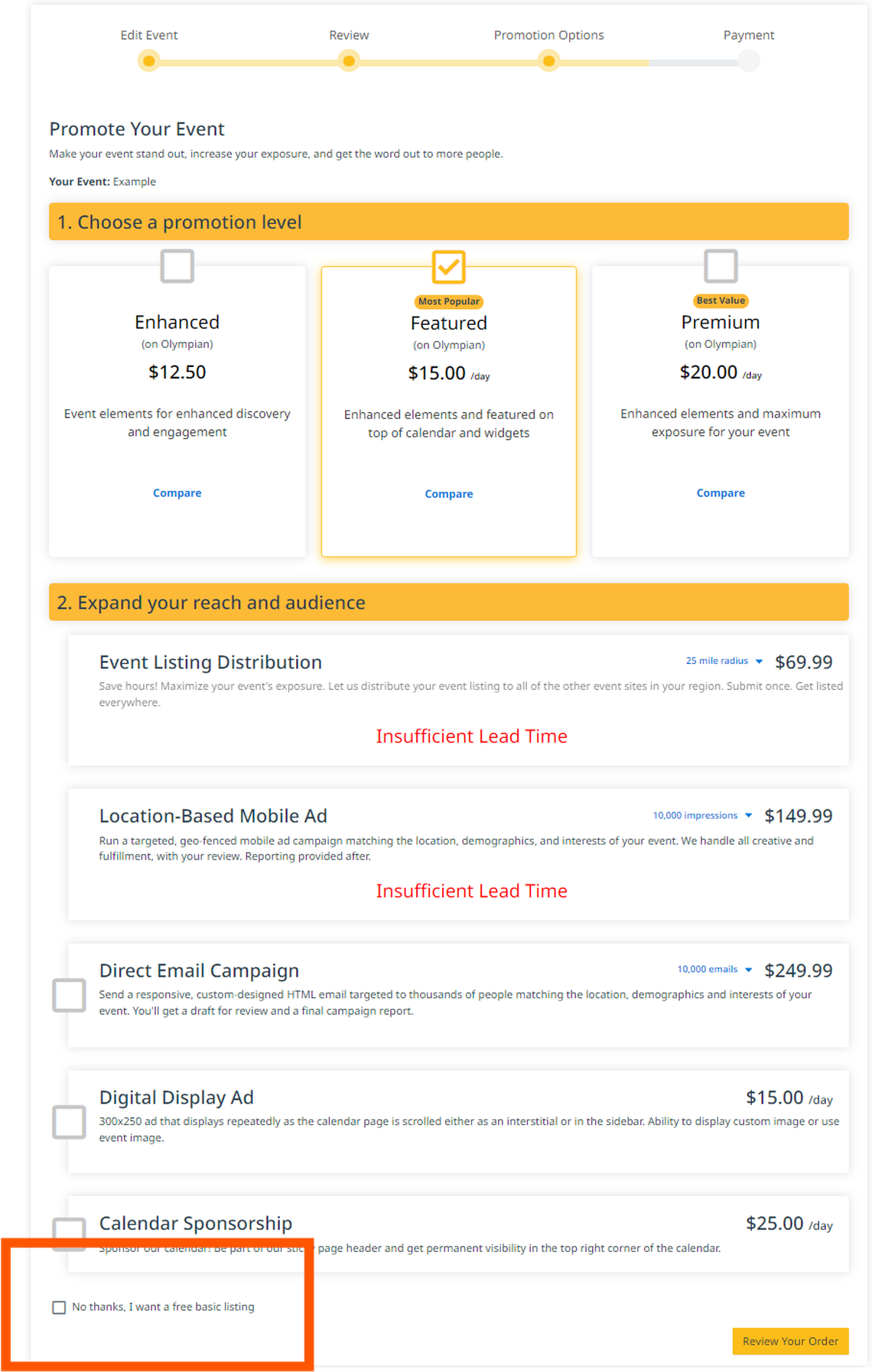
6) Click the button at the bottom of the page that says either “Submit Event” or “Review Your Order,” depending on whether you have chosen a free listing or a paid promotion.
7) Review and provide payment information if necessary.